
AI Lead Generation for Sales & BD
A no-code workflow for lead research, human-reviewed outreach, lead magnets, and campaign reporting.
Built for small screens — bite-size cards and quick checks instead of long scrolling.
Try it interactiveThe admin tax on selling
Ask any sales or BD professional what steals their time, and it's rarely the pitch. It's everything before it — research, list-building, first drafts, reporting on whether any of it worked.
The myth: fixing that means becoming technical. Learning to code, wiring up scripts, understanding machine learning.
Reality check: none of that is required. This course is entirely for non-technical sales professionals — every tool and prompt here runs in plain English.
The paid tool reality check
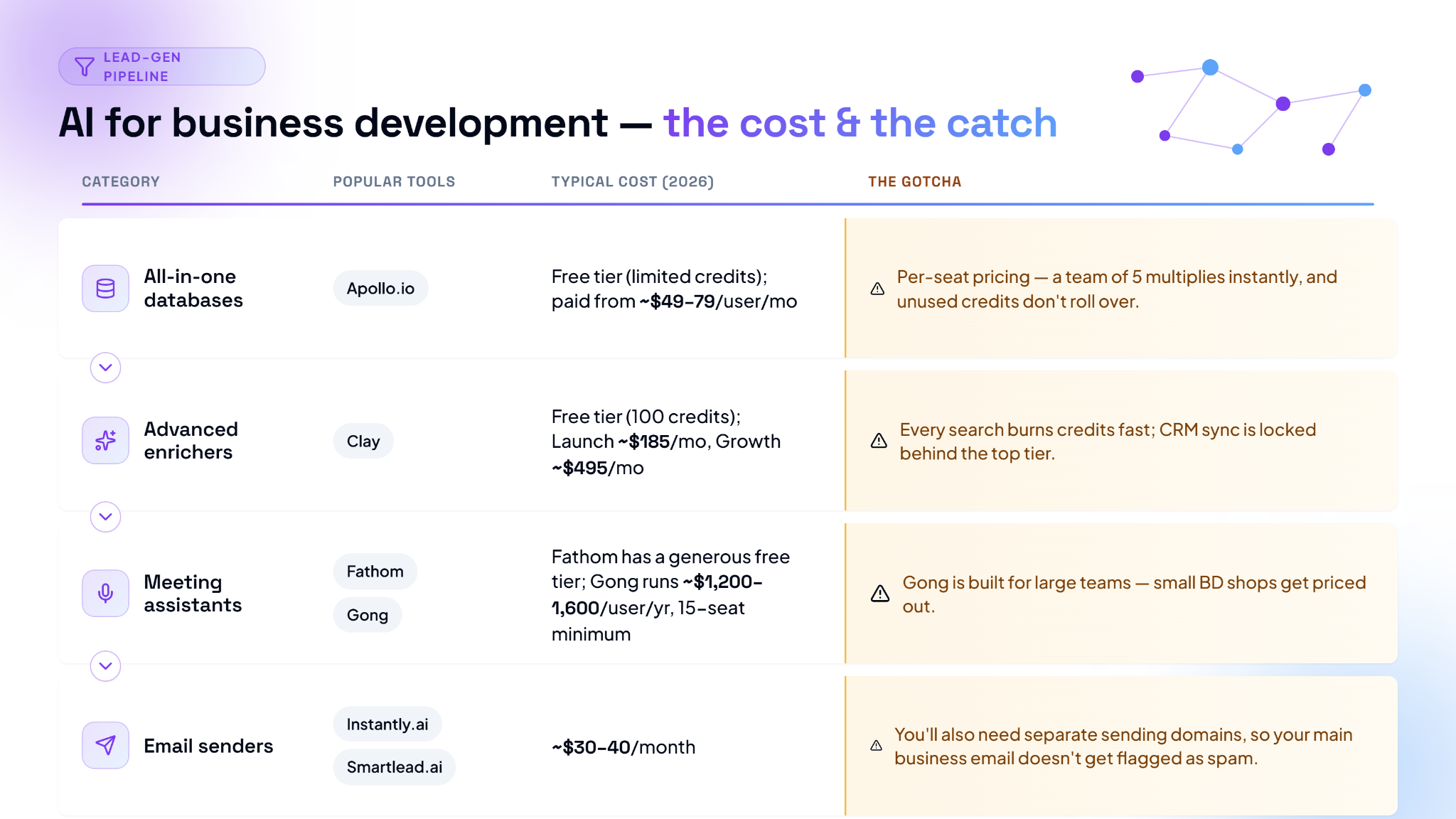
Before any workflow, the honest cost picture. AI sales tools are genuinely effective. They are rarely free once you're using them seriously.
None of this is required to start. Sections 3 through 6 all work with a plain AI assistant — Claude, ChatGPT, Gemini — and no paid sales-specific tool at all.
Common tool costs and gotchas
- All-in-one databases
Popular tools: Apollo.io
Typical cost (2026): Free tier (limited credits); paid from ~$49–79/user/month
The gotcha: Per-seat pricing — a team of 5 multiplies instantly, and unused credits don't roll over - Advanced enrichers
Popular tools: Clay
Typical cost (2026): Free tier (100 credits); Launch ~$185/mo, Growth ~$495/mo
The gotcha: Every search burns credits fast; CRM sync is locked behind the top tier - Meeting assistants
Popular tools: Fathom / Gong
Typical cost (2026): Fathom has a generous free tier; Gong runs ~$1,200–1,600/user/year, 15-seat minimum
The gotcha: Gong is built for large teams — small BD shops get priced out - Email senders
Popular tools: Instantly.ai / Smartlead.ai
Typical cost (2026): ~$30–40/month
The gotcha: You'll also need separate sending domains, so your main business email doesn't get flagged as spam
Where a plain LLM already earns its keep
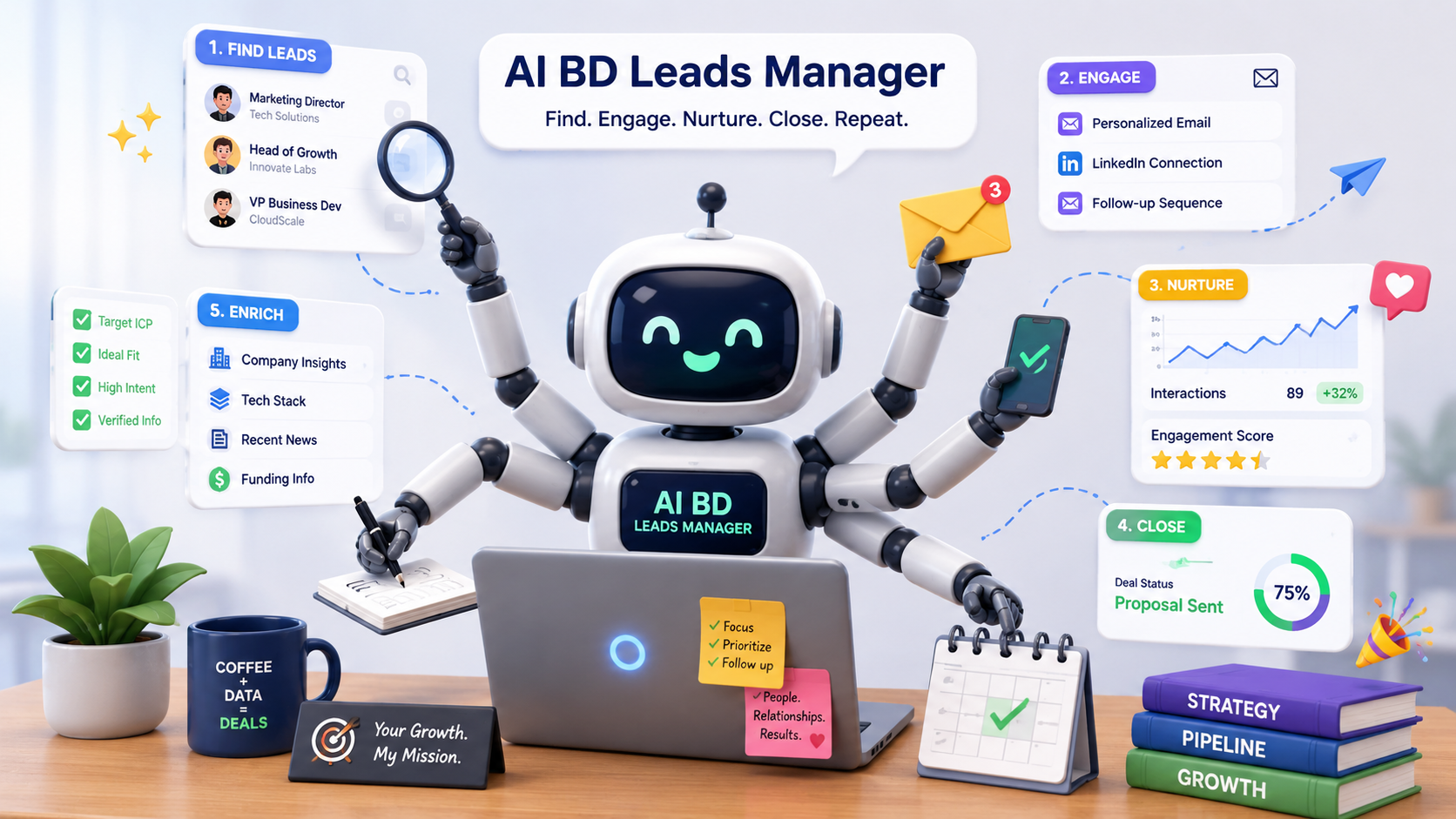
Three jobs a standard chat assistant handles well, no sales-specific tool needed:
1. Translating tech-speak into business value. Pitching a technical product to a non-technical buyer — a CFO, a VP of HR — is a translation problem.
"Translate this technical feature list into three clear business outcomes a CFO would care about — cost savings, risk reduction, and efficiency gains. Here's the feature list: [paste]."
2. Turning company news into a warm opener. You don't have time to read a 50-page annual report before reaching out.
"Here's [Company]'s latest press release. Identify their top 3 stated priorities, then draft a 2-sentence email opener connecting our product, [Product], to one of them."
3. Objection roleplay before it counts. Practice the hard questions somewhere they don't cost you a deal.
"Act as a highly skeptical [title] at a [industry] company. I'm about to pitch you our [product]. Raise the 3 hardest objections you'd have about pricing and [specific concern], and wait for my response to each before continuing."
The complete human-in-the-loop workflow
The full sequence top-performing BD teams actually run — designed so campaigns never sound like robotic spam.
Step 1 — Find the trigger. Don't scrape a random list. Look for signals: a company just hired a new executive, raised funding, or is actively hiring for roles your product supports. That's your reason to reach out.
Step 2 — Clean and verify. Find emails with a tool like Apollo or Clay. Then verify them (MillionVerifier, NeverBounce) before sending anything — a bad batch of emails damages your sender reputation, not just that one campaign.
Step 3 — Draft with AI, under a strict rule. Feed an LLM your value proposition and the prospect's LinkedIn summary:
"Write a cold email using this value prop: [paste] and this prospect summary: [paste]. Under 100 words. Exactly one call to action. No generic filler."
Step 4 — The safety edit. Never auto-send. Load every draft into your sending tool as a draft, not a scheduled send. Read each one out loud. If it sounds like an AI wrote it, change a few words. Add one line referencing something hyper-specific to that prospect. Then approve it.
That thirty-second read-aloud is the entire difference between a campaign that lands and one that gets reported as spam.
Make leads come to you

Instead of chasing every lead yourself, build something that pulls them in.
Old way: write a static eBook, hope someone downloads it.
New way: build a small interactive tool instead. If you sell marketing services, a 4-question "Marketing Waste Calculator" — a prospect enters their monthly ad spend and average lead cost, and it calculates what their current approach is actually costing them.
The gate: to see the personalized, AI-generated breakdown of how to fix it, they enter their business email.
No-code tools built for exactly this exist (Gamma, Outgrow) — you're building a small calculator, not an app, and it typically takes minutes, not weeks.
Turn your outreach data into a report, no Excel required
The other common complaint: proving a campaign worked usually means building a chart by hand.
Skip it. Export your outreach data as a CSV — from Instantly, Apollo, or your CRM — and drop it straight into a chat assistant. Ask plain-English questions instead of building anything:
"Which industries had the highest open rates but the lowest reply rates? What does that suggest about our messaging for those industries?"
"Group the subject lines by performance. What are the top three things the subject lines with over 60% open rates have in common?"
"We sent 500 emails to Founders and 500 to Marketing Directors. Based on reply rates, which persona should we focus on next month?"
That's a full campaign analysis, in the time it takes to upload a file and ask three questions.
What you now know

AI in BD was never about replacing your personality with a robot. It's about outsourcing the preparation — research, cleaning, first drafts, reporting — so that when you're actually on the phone or in an email thread, you've got the energy and the context to be a genuinely helpful human.
Nexa's Verdict: Hype 3/5 · Maturity 4/5 — the workflow in this course is real and already in use by top-performing teams. The tools around it are genuinely expensive at scale; the workflow itself isn't, and that's the part worth mastering first.
- Sales AI tools carry real costs — per-seat pricing, credit burn, and seat minimums are the gotchas to check before buying.
- A plain LLM alone already handles tech-speak translation, warm-intro drafting, and objection roleplay — no paid sales tool required.
- The human-in-the-loop workflow: find a real trigger, verify emails before sending, draft under a strict word/CTA limit, and always read the draft aloud before approving.
- An interactive calculator, gated behind an email address, can pull leads in instead of you chasing them.
- Drop your outreach CSV into any AI assistant and ask plain-English questions instead of building a chart by hand.
- The goal isn't replacing your personality — it's freeing your time for the parts only a human can do.

Nice work — you've finished the reading
Ready to lock it in? Take the quick quiz and earn your free certificate.
Back to GMAsia Campus