
AI Voice Studio: Narration Without a Voice Actor
You don't need a voice actor, a studio, or a translator.
Built for small screens — bite-size cards and quick checks instead of long scrolling.
Try it interactiveThe voice that was never in a studio
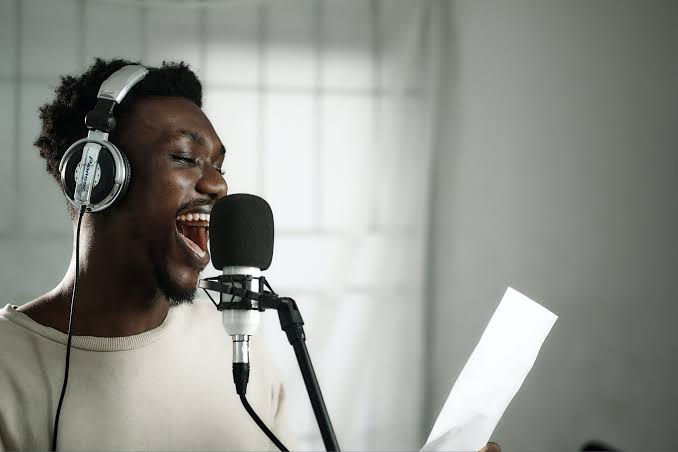
You've heard it. A polished voiceover narrating a product video, no visible narrator anywhere. A YouTube channel suddenly available in four languages, all in what sounds like the same person's voice. Two hosts on a podcast, bantering, that were never in the same room. And the question that keeps coming up: could you make something like that yourself — no voice actor, no studio booking, no translator?
Reality check: for a real category of this, yes. The barrier that used to require hiring, booking, and waiting is mostly gone. What replaces it is a smaller set of specific skills — covered from here on.
What AI voice is actually good for
Narration without hiring anyone. Video voiceovers, e-learning modules, internal training content — professional-sounding narration in minutes, not a studio booking away.
Dubbing and multilingual reach. Translate a script, generate it in another language, and — with the right tool — keep it sounding like the same speaker across every language version. One video becomes five, without re-filming anything.
Multi-speaker content. Training scenarios, dialogue-style explainers, even podcast-style content with two or more distinct voices — assigned per line, not recorded separately and stitched.
Accessibility. Turning written content — articles, documentation, internal knowledge bases — into audio, opening it to people who prefer or need to listen rather than read.
Scaling your own voice, with your own consent. If it's genuinely you, cloned with your own permission, you can narrate content at volume without re-recording every single line yourself.
What it doesn't replace: a real person's specific performance where authenticity is the entire point — a founder's own voice in a deeply personal story, testimony that needs to be verifiably real. Match the tool to the job, the same discipline that applies to any AI-generated content.
The tool landscape, honestly
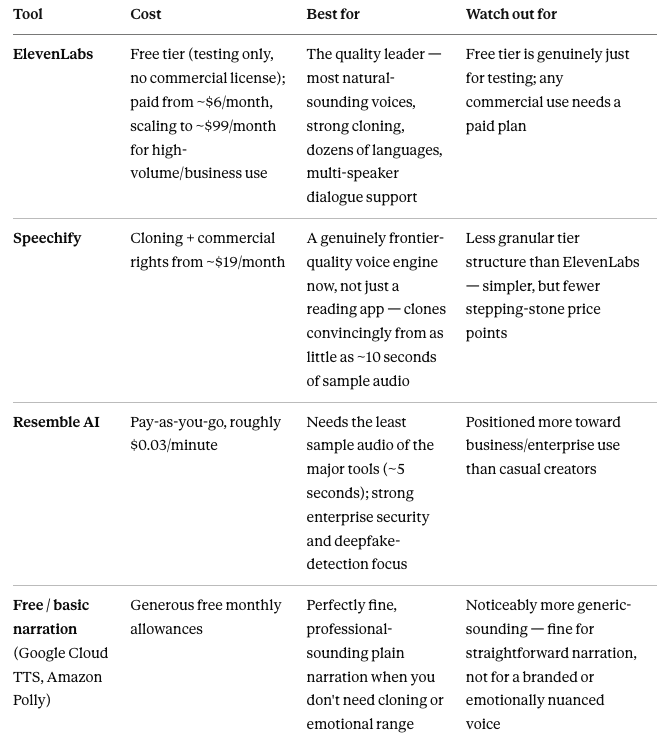
Pricing scales by character count or by minute, not by project — a short video's narration costs very little; a long-form course narrated end to end adds up faster than a single test clip suggests. Estimate against your actual total word count before committing to a tier.
The one hard rule: consent

Here's what makes voice different from almost anything else in this catalog: cloning a real voice convincingly now takes as little as five to ten seconds of audio. That's shorter than most people's voicemail greeting.
The rule is not a judgment call: only clone a voice you have explicit permission to use. Your own. A colleague's, with their direct sign-off. A voice actor's, under an actual license or contract that covers AI cloning specifically — not just their original recording.
Even cloning your own voice, with your own full consent, carries risks worth naming separately. Permission answers "am I allowed to do this" — it doesn't answer what happens to that voice model once it exists:
It becomes something that can be stolen. Voice is increasingly used as a security check — banks, some accounts, even "it's really me" calls to family. A convincing clone of you, sitting on a third-party platform's servers, is itself an asset. If that platform has a data breach, your voice model is what leaks — not just your original recordings.
Check what the platform's terms actually say about your voice data. Some services reserve rights to use uploaded samples for training their own future models, not just to generate your requested output. Read this specifically before uploading a clean, high-quality sample of your own voice.
Access doesn't stay with just you. If your cloned voice is shared on a team account, anyone with access can generate new lines in "your" voice — including things you never personally reviewed or approved. Treat access to your own clone the same way you'd treat access to your email or your signature.
None of this means don't clone your own voice — it's a legitimate, useful case. It means treat the resulting model as a real asset with real exposure, not a solved problem the moment you've consented to your own use of it.
Why this gets its own section instead of a bullet point: a cloned voice can say anything you type, in a person's actual voice, without them ever having said it. That's not a copyright gray area the way some music training data currently is — it's a direct impersonation capability, and increasingly a legal one too, as more jurisdictions introduce specific voice and likeness protections. Treat it as a hard line, not a style preference.
Scripting for control — punctuation, emotion, and multiple speakers
Punctuation is pacing. A script with proper punctuation reads far more naturally than a wall of unbroken text:
"Welcome to the product tour. [pause] Let's start with the dashboard — the first thing you'll see when you log in." Commas, em-dashes, and paragraph breaks all shape rhythm even without special tags.
Many current tools accept explicit delivery tags directly in the script — bracketed cues like [excited], [whispering], [pause] that shift tone mid-sentence. Check what your specific tool supports; this is one of the fastest-moving feature areas in the category, so don't assume last year's guide is current.
For multi-speaker content, assign voices per line, not per file:
"[Host A, warm and casual]: So today we're talking about— [Host B, energetic]: —the thing everyone's been asking about." Most dialogue-capable tools let you tag each line with a distinct voice directly in one script, rather than generating and stitching separate audio files yourself.
Generate more than one take, always. Same discipline as any AI-generated content — pick the best of several, don't publish the first attempt.
Dubbing: one recording, several languages
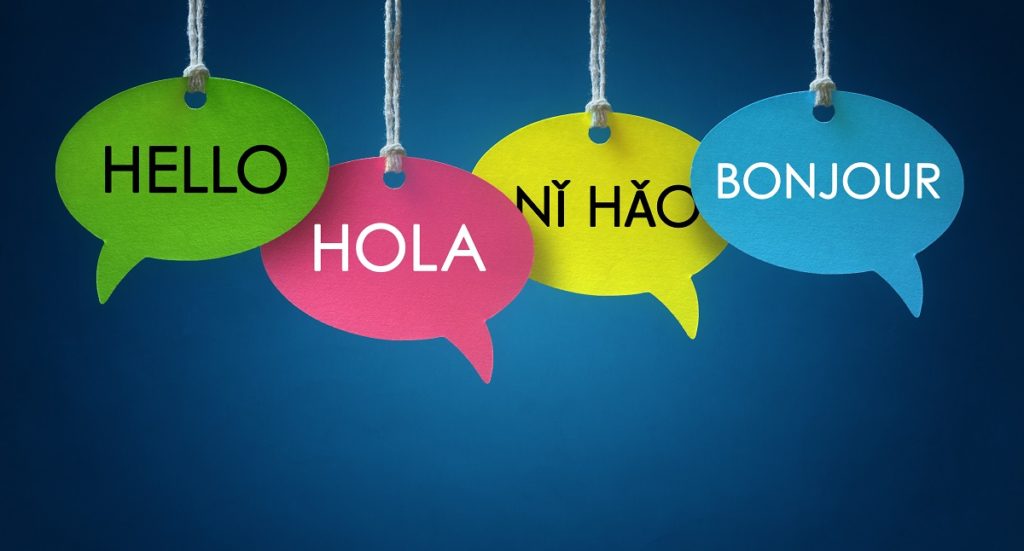
The basic workflow: translate your script (an AI assistant handles this well), feed the translated text into a voice tool, and — with a tool that supports cross-language voice cloning — the output can keep sounding like the same speaker, just speaking a different language.
This is the single highest-leverage use case for reach: one video, recorded once, becomes available in several languages without a single re-shoot or a hired translator's studio time. For content teams working across Asia's many languages, this is often the most commercially valuable application in this entire course.
One honest caveat: dubbed emotional nuance doesn't always survive translation cleanly — a joke's timing, a specific cultural reference, sarcasm — review a dubbed script's meaning before generating, not just its literal translation.
Try this today
Open a free tier (ElevenLabs or a basic TTS tool to start).
Write a short script — 4–5 sentences, properly punctuated, with at least one [pause] or emotion tag if your tool supports it.
Generate it in two different available voices. Compare which one actually fits the tone of what you're making.
If your tool supports multi-speaker scripts, try a two-line exchange with a different voice tagged to each line.
If you have a short piece of content in one language, try translating and generating it in a second one — even a single sentence shows you the dubbing workflow in miniature.
None of this commits you to anything. You're testing fit and voice quality before deciding whether a paid tier is worth it for your real use case.
The honest limits

Consent is the hard line, restated plainly: only clone voices you have explicit permission to use. This is the single most important sentence in this course.
Quality still has occasional uncanny moments — a strange inflection, a mispronounced name, emotional delivery that doesn't quite land. Listen to the entire output before publishing; a good first ten seconds doesn't guarantee a clean full script.
Cost compounds at real volume. A single test clip is cheap; narrating a full course or a long video library, word for word, adds up — estimate against total character count before committing to a workflow.
Disclosure expectations are rising. Audio watermarking is becoming more common, and audiences are getting sharper at noticing AI narration regardless of whether it's marked. Factor disclosure into your process if your platform or company requires it.
Nexa's Verdict: Hype 3/5 · Maturity 4/5 — genuinely production-ready today for narration, dubbing, and multi-speaker content at a fraction of the old cost and turnaround. The consent rule isn't a footnote to that maturity — it's the condition on which all of it stays a useful tool instead of a real problem.
What you now know
AI voice is commercially strong for narration, dubbing across languages, multi-speaker dialogue, and accessibility — not for replacing a specific person's real, verifiable performance.
ElevenLabs leads on quality and cloning; Speechify is now genuinely frontier-grade; Resemble needs the least sample audio; free tools handle plain narration fine.
Never clone a real voice without explicit permission — this is a hard rule, not a style choice, and it takes as little as five seconds of audio to do convincingly.
Even cloning your own voice with full consent creates a real asset with real exposure — check platform data terms, and control who on your team can access it.
Punctuation, emotion tags, and per-line voice assignment control output far more than plain text alone.
Dubbing lets one recording become several languages in the same apparent voice — often the single most valuable use case for reaching a multilingual audience.
Estimate cost against total character count before committing to a workflow, and always listen to the full output before publishing.

Nice work — you've finished the reading
Ready to lock it in? Take the quick quiz and earn your free certificate.
Back to GMAsia Campus