
AI Video Studio: Make Your First Video Without a Camera Crew
You've seen AI videos flooding social, wondered if you could pull that off yourself?
Built for small screens — bite-size cards and quick checks instead of long scrolling.
Try it interactiveThe camera crew you no longer need
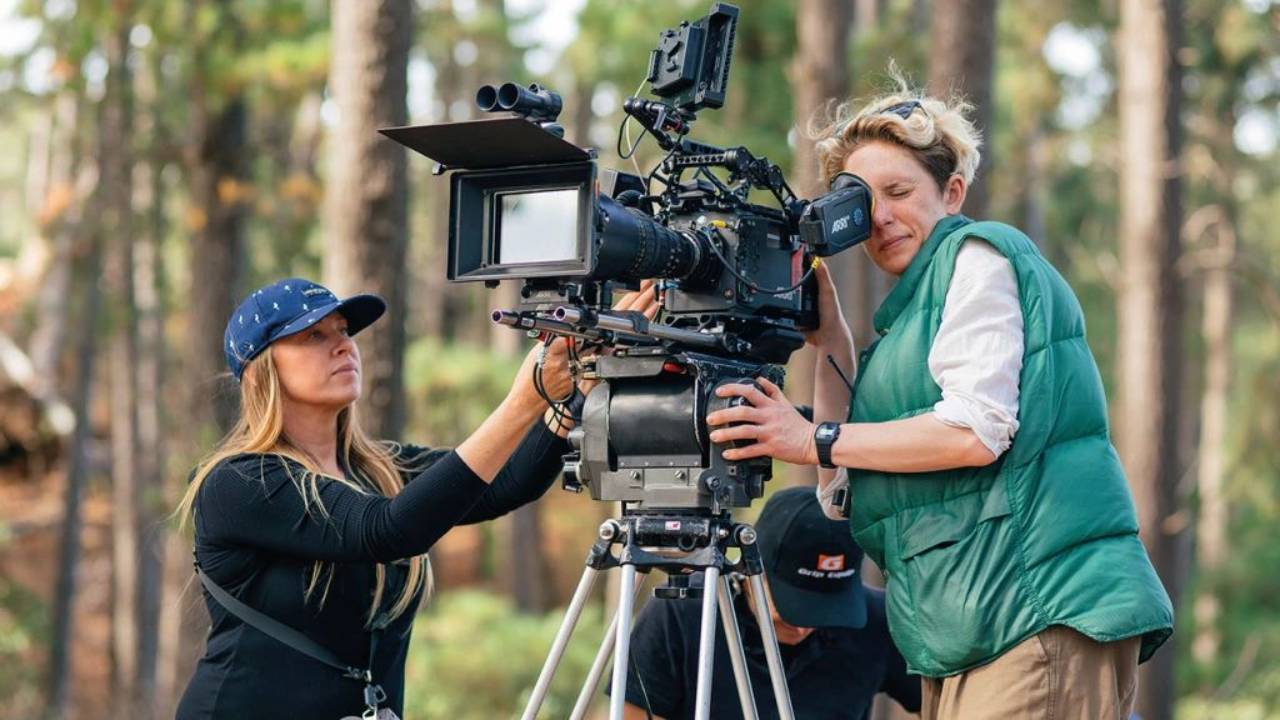
You've seen the videos. They're all over social right now — polished, attention-grabbing, clearly not shot with a phone in someone's living room. And somewhere in there, the same question keeps coming up: could you actually pull that off, without a film crew, without a studio, without ever picking up a camera?
Reality check: for a real category of video, yes — and the barrier that used to stop you is mostly gone. You don't need to learn editing software or own equipment. You need to know what changed — and where the new ceiling actually is, because it isn't "anything you can imagine."
What AI video is actually good for — the commercial sense check
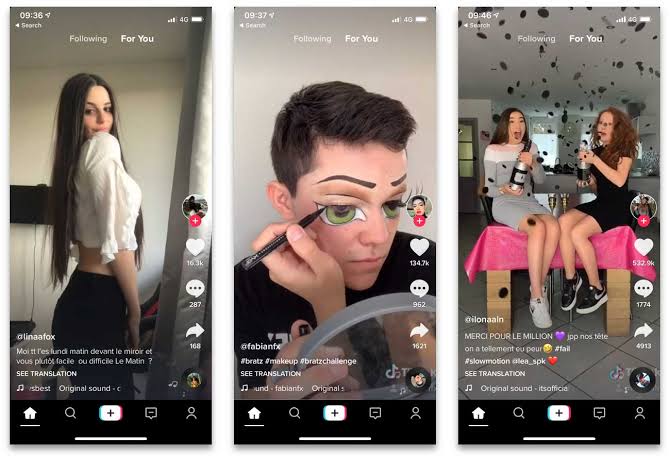
Three honest buckets, before you generate anything:
Genuinely strong today: short-form hooks and B-roll for social (5–15 second clips), product demo snippets, background and texture footage, ad variations at scale (the same core idea, ten different visual treatments, tested fast), and talking-head presenter videos using an AI avatar — genuinely useful if you or your team don't want to be on camera.
Usable with real caveats: longer continuous shots (30+ seconds of one unbroken scene still shows seams), anything requiring exact physical accuracy (your actual product's precise dimensions, exact packaging text), and multi-shot narrative sequences — possible now, but expect more retries and more manual stitching than a single clip.
Not there yet, don't plan around it: full long-form video replacing a real production, and perfectly reliable hands, text, or complex physical interactions inside a single generation — these still glitch often enough to need a backup take.
The commercial read: AI video is currently strongest as a volume and speed tool, not a one-shot final-cut tool. Ten fast variations of an ad hook, tested against real audience data, usually beats one slow, expensive, "perfect" shoot for most day-to-day marketing needs.
Free vs. paid — and how they actually differ
The field reshuffled hard this year — worth knowing before you pick a tool.
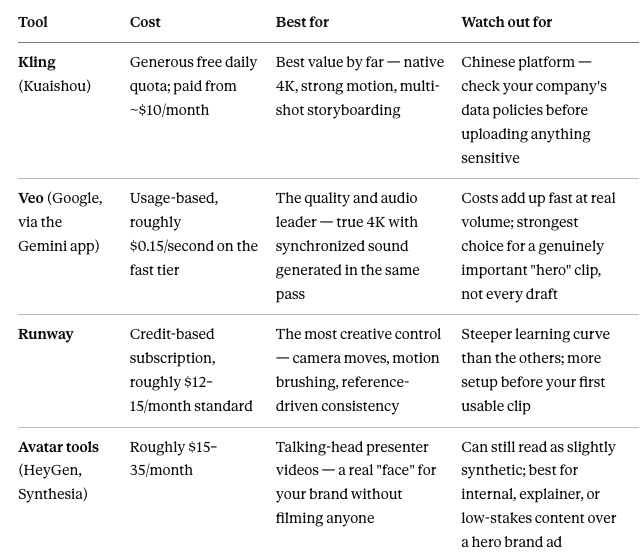
One live caution worth knowing: OpenAI's Sora is being discontinued — the app is already shut down, and the API follows soon after. Don't build a workflow around it. This category moves fast enough that "who's leading" reshuffles within months, not years — a reason to stay tool-agnostic in your actual technique, covered next.
Costing and expectations — read this before you generate
The number that surprises most beginners: a "video" isn't one generation. Most tools produce clips 5–15 seconds long. A finished 30-second piece is usually several clips stitched together, not one continuous shot — plan your workflow around that from the start, not after you've already been surprised by it.
Rough cost reality, at current rates: a 30-second piece assembled from value-tier clips (Kling) runs somewhere in the low single digits of dollars. The same length from a premium quality-tier model (Veo, full rate) can run into the tens of dollars once you count retries. Retries are the real hidden cost — even a strong model rarely nails a complex shot on the first attempt, so budget for 2–4 generations per clip you actually keep, not one.
The honest strategy: draft and iterate on the cheapest capable tool. Reserve your premium-tier budget for the small number of "hero" shots that actually need the extra quality — not every clip in the sequence.
Controlling the output — reference images, and words that actually work
Two levers control quality far more than a clever sentence alone.
Start from a reference image, not a blank prompt. If you already have a strong, on-brand still image — your product shot, your consistent character design, your established visual style — feed that in as the starting frame instead of describing everything in words. Most current tools accept an image as the seed and animate from it, which carries your established look directly into the video rather than asking the model to re-invent it from a text description alone. If you've built a consistent reference image before, that's your video's starting point, not a fresh blank page.
Speak the language of motion, not just subject. A still-image prompt describes what's in frame. A video prompt needs to also describe what moves, and how the camera behaves:
"[Subject/scene], [starting reference image], camera slowly pushes in, soft natural lighting, shallow depth of field, 5 seconds, no text overlay."
Specific camera language — push in, pan left, static shot, tracking shot — gets you dramatically more control than describing only the subject and hoping the motion works out.
Generate more than one, every time. Treat every clip like a photo shoot with multiple takes, not a single button press. Pick the best of 3–4, not the first result.
Try this today, start to finish
Pick or generate one strong reference image — your product, your character, your established visual style.
Open a free-tier tool (Kling's free daily quota is the easiest starting point).
Generate one clip, using the reference image as your seed and this prompt pattern:
"[Reference image], the [subject] slowly rotates, soft studio lighting, camera static, 5 seconds, no text."Generate 3 versions. Pick the one where the motion looks most natural — don't settle for the first attempt.
Stitch and caption. A free tool like CapCut handles joining multiple short clips together and adding captions — no paid editing software required.
Publish the short version first. A single strong 5-second clip with a caption is a complete, usable piece of content on its own — you don't need the full sequence finished to post something today.
The honest limits
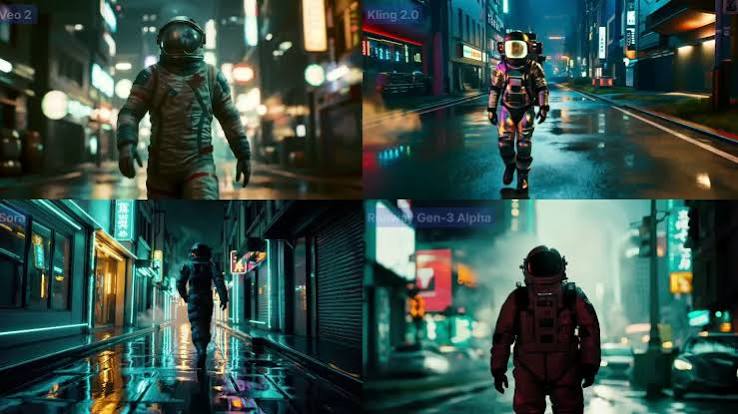
Physics and hands still glitch. Complex interactions — objects passing through each other, hands with too many fingers — happen often enough that every clip needs a look before it ships, not an assumption it's fine.
Real, identifiable people carry real risk. Avoid generating video of actual people without clear rights, same caution as with AI images.
Commercial usage rights vary by tool — check the specific license before using output in paid advertising or client work; this isn't uniform across platforms.
Even a technically flawless clip can still feel disingenuous. Audiences are getting sharper at spotting AI video — sometimes a specific tell, often just a vague sense that something's "off" even when nothing is technically wrong. This matters more for some content than others: a polished AI product demo reads as normal; an AI-generated "customer testimonial" or founder story reads as a trust problem the moment it's suspected. Match the tool to the format — reach for AI video where polish is expected, and be more cautious where the whole point is that something feels raw and real.
Watermarking and provenance marks are increasingly standard — expect them, and factor disclosure into your process if your platform or company requires it.
Nexa's Verdict: Hype 4/5 · Maturity 3/5 — genuinely useful today as a speed and volume tool for short-form and social content. Treat every generation as a draft you review, not a final export you trust blind — and don't build a whole workflow around any single tool in a category that reshuffles this fast.
What you now know
AI video is strongest today for short-form hooks, product demos, ad variations at scale, and talking-head avatars — not full long-form production yet.
Free and paid tools genuinely differ: Kling leads on value, Veo on quality and audio, Runway on creative control, avatar tools on presenter videos.
A finished video is usually several short clips stitched together, not one continuous generation — budget for retries, not one-shot perfection.
Feed in a reference image as your starting seed, and describe camera motion explicitly — not just the subject.
Generate multiple takes every time, and always review before publishing — physics and hands still glitch often enough to matter.
Even a flawless clip can feel disingenuous to viewers — save AI video for formats where polish is expected, and be more careful with anything meant to feel raw or personal, like testimonials.

Nice work — you've finished the reading
Ready to lock it in? Take the quick quiz and earn your free certificate.
Back to GMAsia Campus